Pay templates
Price a group of people the same way, with pay components, templates and each person's own basic.
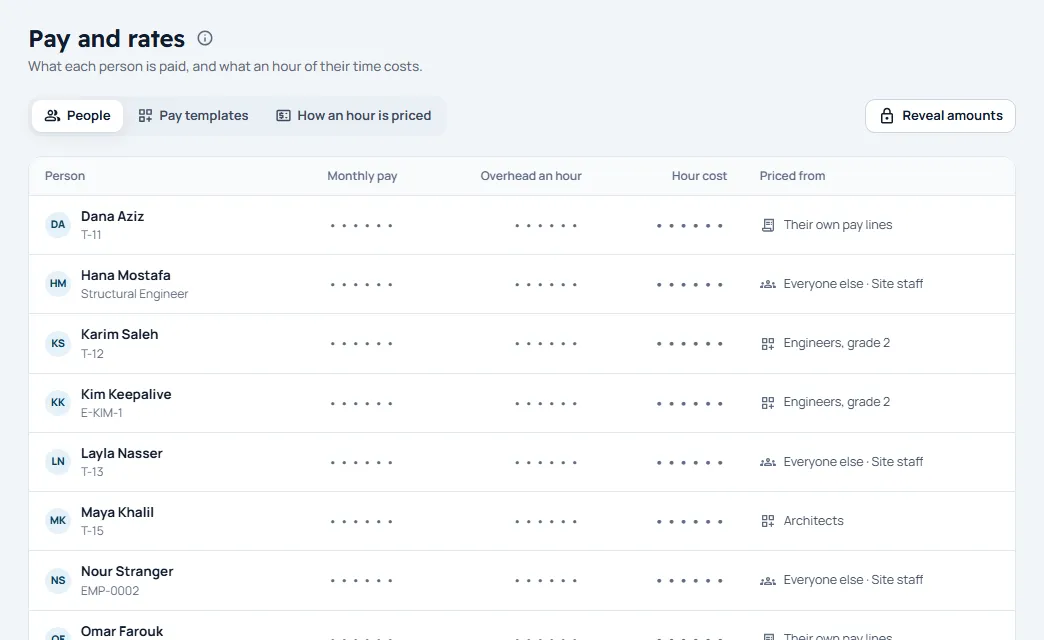
Pay lives in Setup › Money › Pay & rates, on three tabs: People, Pay templates and How an hour is priced. A template prices a group of people the same way, and it is built from pay components.
Pay components
Choose Pay components › New component. Give it a Name, say who pays it, Paid to the person or Paid by the firm on top, and whether it Counts toward the hour cost. One component is the basic wage: tick This is the basic wage.
Make a template
- Choose New template and give it a Name.
- Add a line for each component, worked out as a Fixed amount, a % of basic, or Each person’s own (the basic only).
- Choose Create.
- Under People on it, choose Add a person, with their basic a month when each keeps their own, and the day it counts From.
Everyone else
The Everyone else card names the template for everyone not on another one.
How a person is priced
The first that applies wins: their template, then their own pay lines, then Everyone else. A person with none is Not priced, and their hours cost nothing.
A change counts from its From day: hours already logged keep their cost.
Amounts stay hidden until someone allowed chooses Reveal amounts. In a person’s sheet, every look at their pay is written to the log.